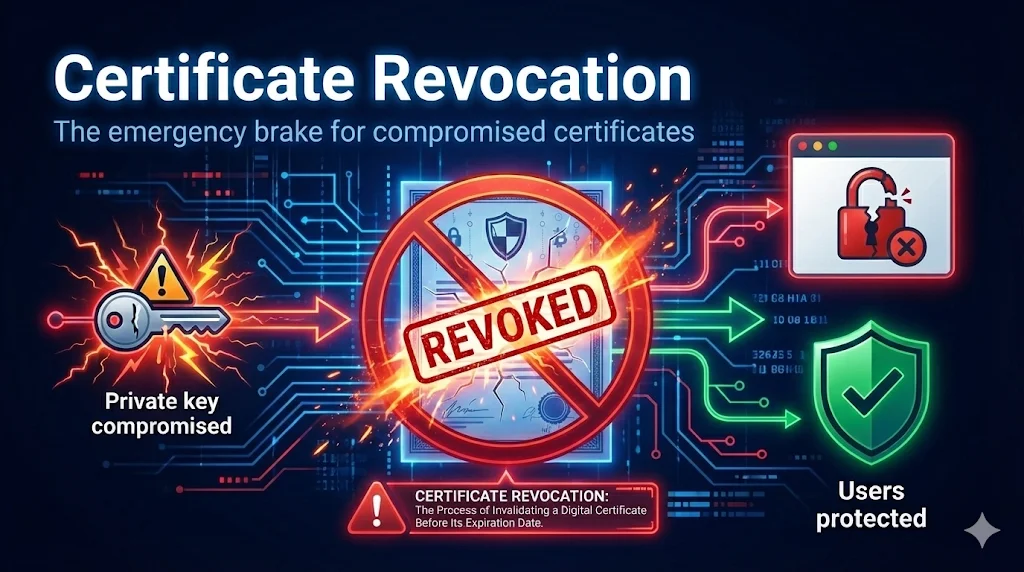
Why Revoke a Certificate?
Certificate revocation is the process of invalidating a certificate before its natural expiration date. You need to revoke when something makes the certificate untrustworthy.
The Core Principle
If someone other than the authorized owner could potentially use a certificate to impersonate your service, that certificate must be revoked immediately.
Common Revocation Triggers
- CRITICAL:Private key exposed (committed to GitHub, server breach, stolen backup)
- HIGH:CA compromise (DigiNotar, Comodo-style incidents)
- MEDIUM:Organization info changed (rebranding, M&A, domain sold)
- LOW:Certificate superseded (algorithm upgrade, adding SANs)
- OPERATIONAL:Service decommissioned (domain not renewed, product discontinued)
RFC 5280 Revocation Reasons
When you revoke a certificate, you specify a reason code defined in RFC 5280. This helps clients understand why the certificate was invalidated.
| Code | Reason | Urgency | Description |
|---|---|---|---|
| 1 | keyCompromise | 24 hours | Private key exposed |
| 2 | cACompromise | Immediate | CA was compromised |
| 3 | affiliationChanged | 5 days | Subject info no longer accurate |
| 4 | superseded | 5 days | Replaced with new certificate |
| 5 | cessationOfOperation | Before shutdown | Service being decommissioned |
| 6 | certificateHold | Varies | Temporary hold (can be removed) |
| 0 | unspecified | 5 days | No specific reason given |
CA/Browser Forum Requirements
For key compromise, CAs must revoke within 24 hours of confirmed compromise. Other reasons have a 5-day window. These timelines are enforced by browser root programs.
Revocation Timeline
Revocation Timeline
From compromise to client protection
Key exposed or breach detected
Contact CA with revocation request
CA adds to revocation list
Distribution points receive update
All client caches expired
Between compromise and client enforcement, attackers can still use the certificate. This can be hours to days depending on CRL validity and caching.
Understanding the timeline from compromise to client protection is critical for incident response planning.
Private key exposed, breach detected, or incident discovered
Submit revocation request to Certificate Authority
CA adds certificate serial to revocation list
CRL distribution points receive updated list
Cached CRLs expire, all clients have current status
Between compromise and client enforcement, attackers can still use the compromised certificate. This window can be hours to days depending on CRL validity periods and client caching.
How Clients Check Revocation
Revocation Checking Methods
How clients verify certificate status
Download entire list of revoked certs
Real-time query for specific cert status
Server provides proof in TLS handshake
1. CRL (Certificate Revocation List)
Client downloads the entire list of revoked certificates from CA's CRL server, then checks if the certificate's serial number appears in the list.
- • Works offline once cached
- • Simple to implement
- • Large downloads (can be MBs)
- • Stale data between updates
- • Privacy: CRL URL in certificate
2. OCSP (Online Certificate Status Protocol)
Client queries CA's OCSP responder in real-time for the status of a specific certificate.
- • Real-time status
- • Small request/response
- • Privacy: CA sees every site you visit
- • Adds latency to every connection
- • Soft-fail if responder unavailable
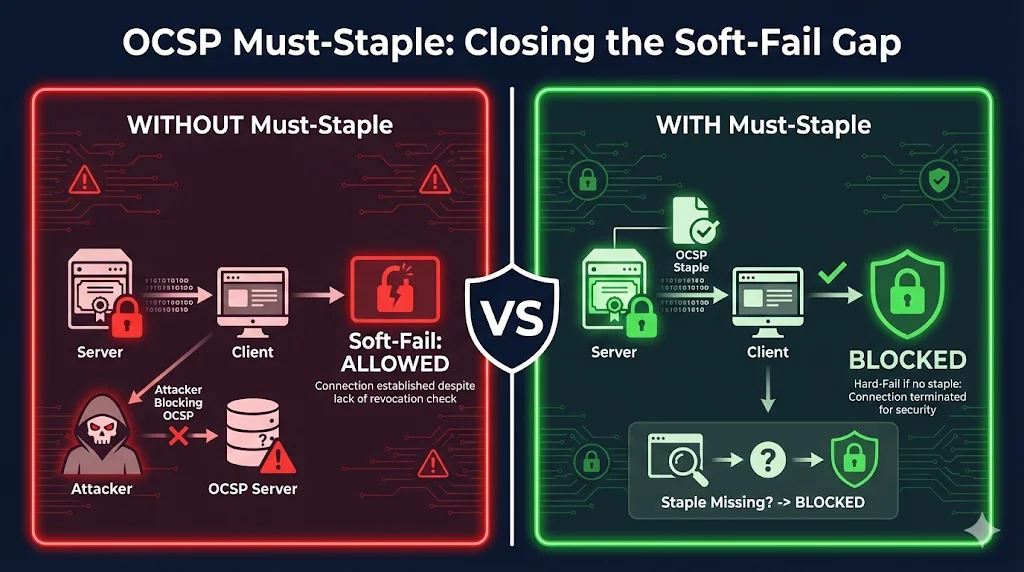
3. OCSP Stapling (Recommended)
Server fetches OCSP response and "staples" it to the TLS handshake. Client gets proof without contacting the CA.
- • No CA query from client (privacy)
- • Faster - no extra round trip
- • Server caches response
Must be enabled in server config. Use OCSP Must-Staple for hard-fail enforcement.
4. CRLSets / CRLite
Browser vendors maintain curated lists of revoked certificates, pushed via browser updates.
- • Chrome: CRLSets (~50K high-priority certs)
- • Firefox: CRLite (comprehensive, bloom filter-based)
- • Advantage: Hard-fail, fast, private
- • Limitation: Limited coverage (CRLSets) or delayed updates
The Soft-Fail Problem
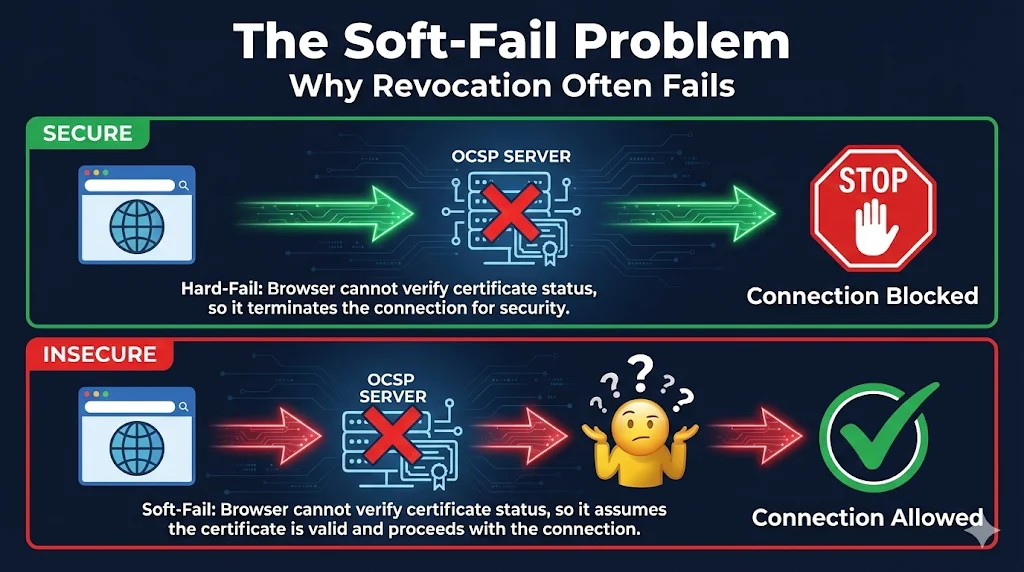
This is the dirty secret of certificate revocation: most browsers don't actually block connections when revocation checks fail.
Hard-Fail (Ideal)
Can't verify revocation? Block the connection.
More secure, but can cause outages if OCSP responder is slow or down.
Soft-Fail (Reality)
Can't verify revocation? Allow anyway.
Better UX, but attackers can block OCSP to use revoked certs.
Attack Scenario
- 1. Attacker steals your private key
- 2. You discover the breach and revoke the certificate
- 3. Attacker intercepts victim's connection (MITM)
- 4. Attacker blocks victim's OCSP request
- 5. Browser soft-fails → allows connection with revoked cert
- 6. Attack succeeds despite revocation!
This is exactly why Chrome stopped doing real-time OCSP/CRL checks.
Browser Revocation Behavior
Browser Revocation Behavior
How major browsers check certificate status
If OCSP responder is down, most browsers allow the connection anyway. Attackers can block OCSP to bypass revocation.
Certificate extension that forces hard-fail if no stapled response. Better security but can cause outages if misconfigured.
| Browser | CRL | OCSP | Stapling | Special |
|---|---|---|---|---|
| Chrome | CRLSets (curated) | |||
| Firefox | CRLite (comprehensive) | |||
| Safari | - | |||
| Edge | CRLSets (Chromium) |
Why Chrome Abandoned Real-Time Checks
- • Soft-fail makes it "security theater" - attackers can bypass
- • Adds latency to every HTTPS connection
- • Privacy concern: CA sees every site you visit
- • CRLSets provide hard-fail for high-priority revocations
Incident Response Workflow
When you need to revoke a certificate, follow this structured approach to minimize exposure time.
Phase 1: ASSESS (0-2 hours)
- • Confirm the compromise is real (not a false alarm)
- • Identify ALL affected certificates
- • Determine scope: one cert or many?
- • Alert incident response team
Phase 2: CONTAIN (2-8 hours)
- • Generate NEW key pairs (never reuse compromised keys!)
- • Request new certificates from CA
- • Prepare deployment plan for new certs
- • Stage new certs but don't deploy yet
Phase 3: REPLACE (8-24 hours)
- • Deploy new certificates to all endpoints
- • Verify new certs are working correctly
- • Update any certificate pinning configurations
- • Securely delete old private keys from all systems
Phase 4: REVOKE (After new certs deployed)
- • Submit revocation request to CA
- • Specify correct revocation reason code
- • Verify revocation appears in CRL/OCSP
- • Document for compliance/audit trail
Phase 5: REVIEW (48-72 hours post)
- • Conduct root cause analysis
- • Update security controls to prevent recurrence
- • Review certificate management practices
- • Update incident response procedures
Always deploy the new certificate BEFORE revoking the old one.Revoking first causes a service outage until the new cert is deployed.
When Revocation Fails
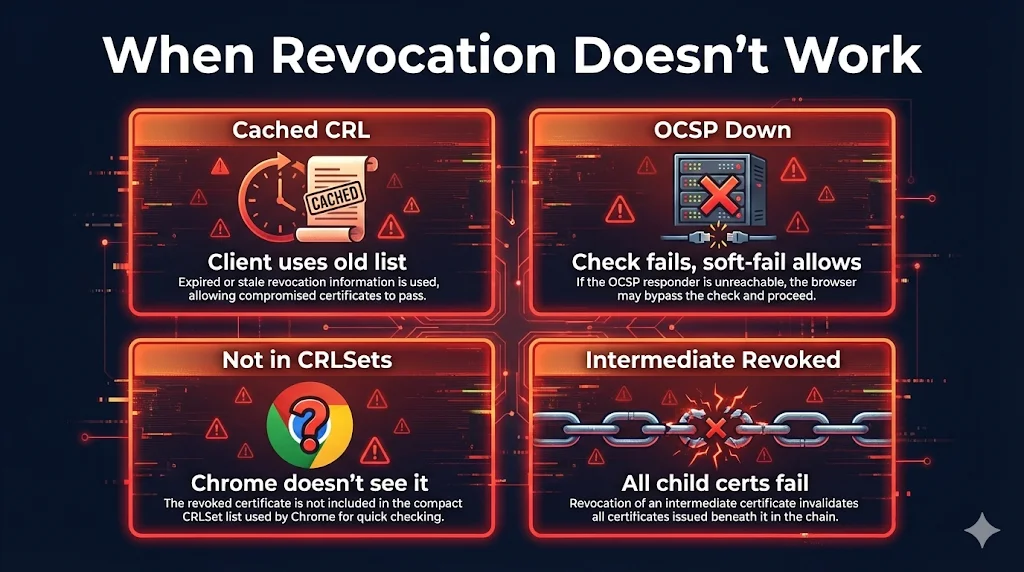
Even after you revoke a certificate, several factors can prevent clients from blocking it.
Cached CRL Not Updated
Client has old CRL cached and won't check for updates until it expires.
Soft-Fail on OCSP Timeout
OCSP responder is slow or unavailable, browser allows connection anyway.
Not in CRLSets
Chrome only includes "important" revocations in CRLSets (~50K certs).
OCSP Stapling Not Configured
Server doesn't provide OCSP staple, client must query CA directly.
Best Practices
Faster, more private, and more reliable than client-side OCSP
Forces hard-fail if staple missing (more secure but riskier)
Know who to call and what to do before a breach happens
90-day or shorter certs reduce revocation window impact
Use HSMs, limit access, never commit to repos
Verify your OCSP stapling works and CRL URLs are accessible
Useful Commands
Check OCSP Status
# Get OCSP URL from certificate
openssl x509 -in cert.pem -noout -ocsp_uri

# Check OCSP status
openssl ocsp -issuer chain.pem -cert cert.pem \
  -url http://ocsp.example.com -text
Download and Check CRL
# Get CRL URL from certificate
openssl x509 -in cert.pem -noout -text | grep -A1 "CRL Distribution"

# Download CRL
curl -o crl.der http://crl.example.com/crl.der

# Convert and view CRL
openssl crl -in crl.der -inform DER -text -noout
Test OCSP Stapling
# Check if server provides OCSP staple
openssl s_client -connect example.com:443 -status 2>/dev/null | \
  grep -A 20 "OCSP Response Data"
Enable OCSP Stapling (Nginx)
# nginx.conf
ssl_stapling on;
ssl_stapling_verify on;
ssl_trusted_certificate /path/to/chain.pem;
resolver 8.8.8.8 8.8.4.4 valid=300s;
resolver_timeout 5s;
Enable OCSP Stapling (Apache)
# Apache config
SSLUseStapling On
SSLStaplingCache shmcb:/tmp/stapling_cache(128000)
SSLStaplingResponseMaxAge 900
Explore More PKI Topics
Learn about CRL vs OCSP mechanics, failure scenarios, and certificate lifecycle management.
Related Resources
Certificate Revocation Guide
Introduction to CRL, OCSP, and OCSP Stapling
Certificate Transparency
CT logs for detecting mis-issued and revoked certificates
Certificate Lifecycle
Complete journey including revocation phase
Certificate Anatomy
CRL Distribution Points and OCSP extensions in certificates
OpenSSL s_client
Test OCSP stapling and check revocation status
Certificate Revocation Requirements
CA/Browser Forum 24-hour and 5-day revocation rules