The 30-Second Version
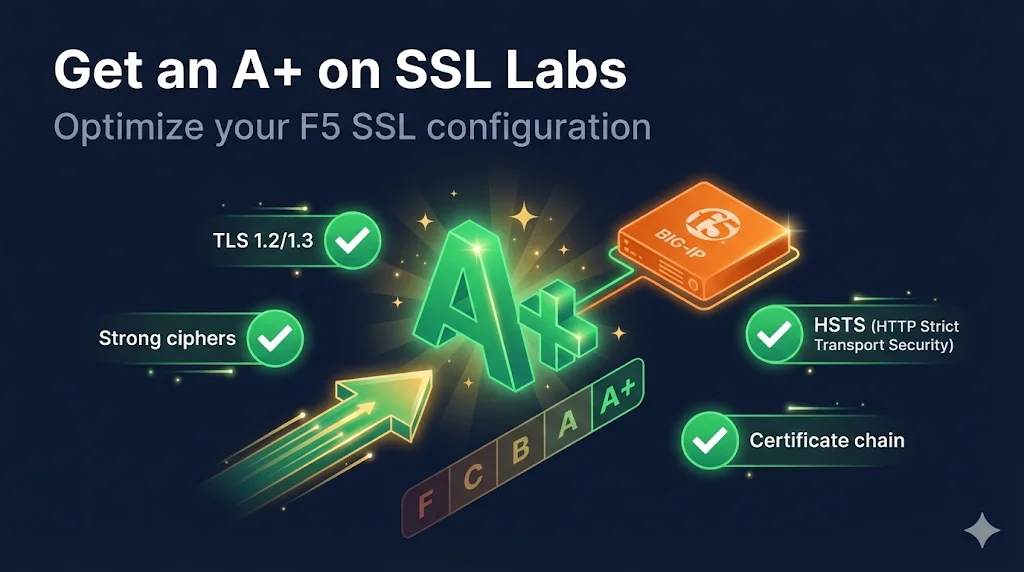
The quick path to A+:
- Remove TLS 1.0 and 1.1
- Use strong cipher string (see below)
- Complete certificate chain
- Enable HSTS (for A+, not just A)
Recommended cipher string:
ECDHE+AESGCM:ECDHE+CHACHA20:DHE+AESGCM:DHE+CHACHA20:!aNULL:!MD5:!DSSUnderstanding SSL Labs Grades
How SSL Labs Scores Your Configuration
| Category | What It Checks | Weight |
|---|---|---|
| Certificate | Valid, trusted, correct chain | 30% |
| Protocol Support | TLS versions supported | 30% |
| Key Exchange | Cipher strength, key size | 30% |
| Cipher Strength | Cipher algorithms used | 10% |
Grade Requirements
| Grade | Requirements |
|---|---|
| A+ | A grade + HSTS with long duration |
| A | No major issues, good configuration |
| B | Minor issues (old protocols, weak ciphers) |
| C | Moderate issues |
| F | Major vulnerability or configuration error |
Grade Caps (Things That Limit Your Grade)
| Issue | Grade Cap |
|---|---|
| Certificate not trusted | T (Trust) |
| Certificate name mismatch | T |
| TLS 1.0 enabled | B |
| TLS 1.1 enabled | B |
| SSL 3.0 enabled | F |
| RC4 cipher enabled | C |
| No Forward Secrecy | B |
| Weak DH parameters | B |
Certificate Configuration
Requirements for Full Certificate Score
- Valid (not expired)
- Trusted chain (all intermediates included)
- Domain matches (CN or SAN)
- Strong key (2048-bit RSA minimum, 256-bit ECDSA)
- SHA-256 signature (not SHA-1)
Check Your Certificate
# Check key size
openssl s_client -connect YOUR-VIP:443 -servername YOUR-DOMAIN 2>/dev/null | \
  openssl x509 -noout -text | grep "Public-Key"

# Check signature algorithm
openssl s_client -connect YOUR-VIP:443 -servername YOUR-DOMAIN 2>/dev/null | \
  openssl x509 -noout -text | grep "Signature Algorithm"
Fix: Complete Certificate Chain
See F5 Certificate Chain Configuration for detailed instructions.
Quick check:
# Should return 2 or more
echo | openssl s_client -connect YOUR-VIP:443 -servername YOUR-DOMAIN 2>/dev/null | \
  grep -c "BEGIN CERTIFICATE"
Protocol Configuration (TLS Versions)
Recommended Configuration
| Protocol | Status | Why |
|---|---|---|
| SSL 3.0 | Vulnerable (POODLE) | |
| TLS 1.0 | Deprecated, caps at B | |
| TLS 1.1 | Deprecated, caps at B | |
| TLS 1.2 | Current standard | |
| TLS 1.3 | Best security/performance |
Configure in F5
Path: Local Traffic → Profiles → SSL → Client → [Profile] → Options
tmsh command:
# Disable old protocols
tmsh modify ltm profile client-ssl YOUR-PROFILE \
  options { no-tlsv1 no-tlsv1.1 }

# Verify
tmsh list ltm profile client-ssl YOUR-PROFILE optionsGUI:
- Edit Client SSL Profile
- Under Configuration, select Advanced
- In Options, add:
No TLSv1andNo TLSv1.1 - Click Update
Verify TLS Versions
# Test TLS 1.2 (should work)
openssl s_client -connect YOUR-VIP:443 -servername YOUR-DOMAIN -tls1_2

# Test TLS 1.3 (should work)
openssl s_client -connect YOUR-VIP:443 -servername YOUR-DOMAIN -tls1_3

# Test TLS 1.1 (should FAIL)
openssl s_client -connect YOUR-VIP:443 -servername YOUR-DOMAIN -tls1_1

# Test TLS 1.0 (should FAIL)
openssl s_client -connect YOUR-VIP:443 -servername YOUR-DOMAIN -tls1
Cipher Configuration
Recommended Cipher String for A+
ECDHE+AESGCM:ECDHE+CHACHA20:DHE+AESGCM:DHE+CHACHA20:!aNULL:!MD5:!DSSThis provides:
- Forward Secrecy (ECDHE, DHE)
- Strong encryption (AES-GCM, ChaCha20)
- No weak algorithms
Alternative: More Compatible (Still A+)
ECDHE+AESGCM:ECDHE+CHACHA20:ECDHE+AES:DHE+AESGCM:DHE+AES:!aNULL:!MD5:!DSS:!RC4:!3DESAdds CBC mode AES for older clients.
Configure in F5
tmsh:
# Set cipher string
tmsh modify ltm profile client-ssl YOUR-PROFILE \
  ciphers 'ECDHE+AESGCM:ECDHE+CHACHA20:DHE+AESGCM:DHE+CHACHA20:!aNULL:!MD5:!DSS'

# Verify
tmsh list ltm profile client-ssl YOUR-PROFILE ciphers
GUI:
- Edit Client SSL Profile
- Under Configuration, select Advanced
- In Ciphers, enter the cipher string
- Click Update
Verify Cipher Configuration
# See what ciphers F5 will offer
tmm --clientciphers 'YOUR-CIPHER-STRING'

# Test actual negotiation
openssl s_client -connect YOUR-VIP:443 -servername YOUR-DOMAIN 2>/dev/null | \
  grep "Cipher is"
Cipher Strings to AVOID
| String | Problem |
|---|---|
| DEFAULT | Includes weak ciphers |
| ALL | Includes everything, even insecure |
| RC4 | Broken, caps at C |
| 3DES | Slow and weak |
| MD5 | Weak hash |
| !ECDHE:!DHE | No forward secrecy, caps at B |
Enable HSTS (Required for A+)
HSTS (HTTP Strict Transport Security) tells browsers to only use HTTPS. Required for A+ grade.
Option 1: iRule (Quick Method)
# Create iRule
when HTTP_RESPONSE {
    HTTP::header insert Strict-Transport-Security "max-age=31536000; includeSubDomains; preload"
}tmsh:
# Create iRule
tmsh create ltm rule HSTS-Header {
when HTTP_RESPONSE {
    HTTP::header insert Strict-Transport-Security "max-age=31536000; includeSubDomains; preload"
}
}

# Assign to virtual server
tmsh modify ltm virtual YOUR-VS rules { HSTS-Header }Option 2: HTTP Profile (F5 v14+)
Path: Local Traffic → Profiles → Services → HTTP → [Profile] → HSTS
- Enable HSTS Mode
- Set HSTS Maximum Age to
31536000(1 year) - Enable Include Subdomains if applicable
- Enable HSTS Preload if submitting to preload list
Verify HSTS Header
curl -sI https://YOUR-DOMAIN | grep -i strict

# Should see:
# Strict-Transport-Security: max-age=31536000; includeSubDomains; preload
HSTS Values
| max-age | Duration | SSL Labs Requirement |
|---|---|---|
| 15768000 | 6 months | Minimum for A+ |
| 31536000 | 1 year | Recommended |
| 63072000 | 2 years | Best for preload |
Additional Optimizations
Enable OCSP Stapling
Improves performance and avoids CA availability issues.
Path: Local Traffic → Profiles → SSL → Client → [Profile] → OCSP Stapling
- Create OCSP Stapling profile first
- Assign to Client SSL profile
- Select in Certificate Key Chain
Cipher Server Preference
Force F5 to choose the cipher instead of the client.
tmsh modify ltm profile client-ssl YOUR-PROFILE \
options add { cipher-server-preference }Or in Options, add Cipher Server Preference.
Complete A+ Configuration
tmsh Commands (Copy-Paste Ready)
# Step 1: Update cipher string
tmsh modify ltm profile client-ssl YOUR-PROFILE \
  ciphers 'ECDHE+AESGCM:ECDHE+CHACHA20:DHE+AESGCM:DHE+CHACHA20:!aNULL:!MD5:!DSS'

# Step 2: Disable old TLS versions
tmsh modify ltm profile client-ssl YOUR-PROFILE \
  options { no-tlsv1 no-tlsv1.1 cipher-server-preference }

# Step 3: Create HSTS iRule
tmsh create ltm rule HSTS-Header {
when HTTP_RESPONSE {
    HTTP::header insert Strict-Transport-Security "max-age=31536000; includeSubDomains"
}
}

# Step 4: Assign iRule to virtual server
tmsh modify ltm virtual YOUR-VS rules add { HSTS-Header }

# Step 5: Save configuration
tmsh save sys configVerification Commands
# Test TLS versions
openssl s_client -connect YOUR-VIP:443 -tls1_2  # Should work
openssl s_client -connect YOUR-VIP:443 -tls1    # Should fail

# Test cipher
openssl s_client -connect YOUR-VIP:443 | grep "Cipher is"

# Test HSTS
curl -sI https://YOUR-DOMAIN | grep -i strict

# Test chain
openssl s_client -connect YOUR-VIP:443 -showcerts 2>/dev/null | grep -c "BEGIN CERT"
Troubleshooting Common Grade Issues
Grade Capped at B: "TLS 1.0 or 1.1 enabled"
# Fix: Disable old protocols
tmsh modify ltm profile client-ssl YOUR-PROFILE options add { no-tlsv1 no-tlsv1.1 }Grade Capped at B: "No Forward Secrecy"
# Fix: Use ECDHE/DHE ciphers
tmsh modify ltm profile client-ssl YOUR-PROFILE \
  ciphers 'ECDHE+AESGCM:ECDHE+AES:DHE+AESGCM:DHE+AES:!aNULL:!MD5'
Grade Capped at A (Not A+): "No HSTS"
See Section 5 - add HSTS header via iRule or HTTP profile.
"Chain Issues: Contains anchor"
You're sending the root CA certificate - remove it from your chain.
"Chain Issues: Incomplete"
Missing intermediate certificate - see F5 Certificate Chain Configuration.
"This server is vulnerable to..."
Check the specific vulnerability and patch/configure accordingly:
- POODLE: Disable SSL 3.0
- BEAST: Disable TLS 1.0 or use RC4 (but RC4 is worse)
- CRIME: Should be disabled by default in modern F5
- Heartbleed: Update F5 software
A+ Configuration Checklist
Certificate
- Valid (not expired)
- SHA-256 or better signature
- 2048-bit RSA or 256-bit ECDSA minimum
- Complete chain (intermediates included)
- Domain names match
Protocol
- TLS 1.2 enabled
- TLS 1.3 enabled (if supported)
- TLS 1.0 disabled
- TLS 1.1 disabled
- SSL 3.0 disabled
Ciphers
- Forward Secrecy enabled (ECDHE/DHE)
- No RC4
- No 3DES
- No MD5
- Cipher server preference enabled
HSTS
- Header present
- max-age at least 15768000 (6 months)
- includeSubDomains (if applicable)
Testing Your Configuration
- Run SSL Labs test: ssllabs.com/ssltest
- Review each section for warnings
- Address any issues using this guide
- Re-test until you achieve A+
Expected Results for A+
Frequently Asked Questions
Related Resources
F5 SSL Profiles Explained
Foundation for all F5 SSL configuration and cipher settings.
F5 Certificate Chain Configuration
Fix incomplete chain issues that can drop your grade.
F5 SSL Troubleshooting
Debug and resolve common SSL/TLS issues on BIG-IP.
Cipher Suite Decoder
Understand cipher components to build a secure cipher string.
How TLS Works
Deep dive into TLS handshakes and protocol security.
Chain Builder Demo
Validate certificate chains before deployment.