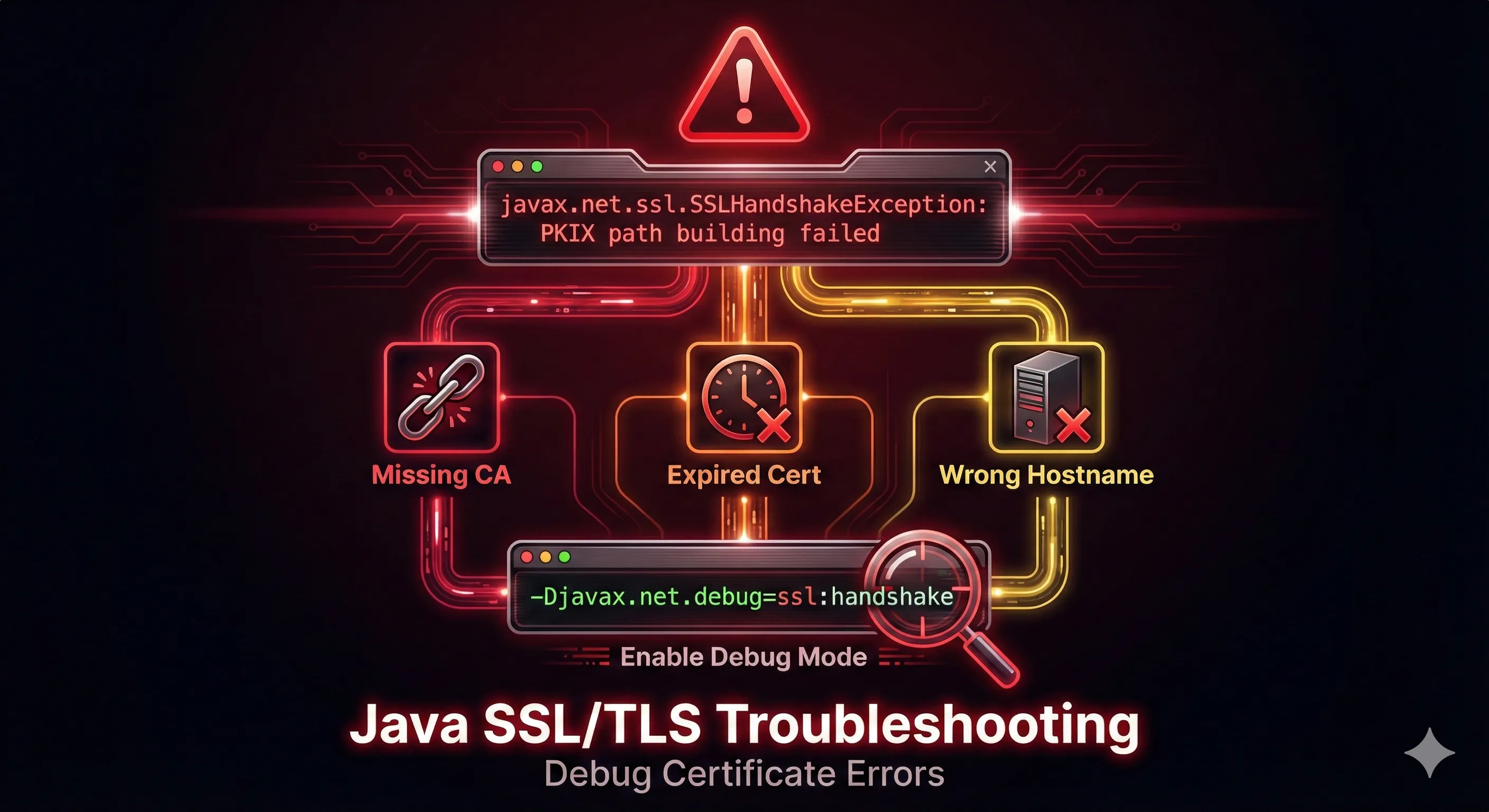
Quick Diagnosis Guide
PKIX path building failed
→ Server's CA certificate is not in your truststore
No subject alternative names matching
→ Certificate hostname doesn't match connection URL
Received fatal alert: bad_certificate
→ mTLS: Your client certificate is rejected by server
Cannot recover key
→ Key password is different from store password
Keystore was tampered with
→ Wrong password or wrong keystore type specified
PKIX Path Building Failed
The Error
sun.security.validator.ValidatorException: PKIX path building failed: sun.security.provider.certpath.SunCertPathBuilderException: unable to find valid certification path to requested targetThis is the #1 most common Java SSL error. It means the server's certificate (or its CA) is not trusted by your Java truststore.
Solution 1: Add CA to Truststore
# Get the server's certificate
openssl s_client -connect server.example.com:443 -showcerts < /dev/null 2>/dev/null | \
  openssl x509 -outform PEM > server-cert.pem

# Import to your truststore
keytool -importcert -alias serverca \
  -file server-cert.pem \
  -keystore truststore.p12 -storetype PKCS12 \
  -storepass changeit -noprompt
Solution 2: Add to System cacerts
# Add certificate to Java's default truststore
sudo keytool -importcert -alias myserver \
  -file server-cert.pem \
  -keystore $JAVA_HOME/lib/security/cacerts \
  -storepass changeit -noprompt
Solution 3: Use Custom Truststore at Runtime
java -Djavax.net.ssl.trustStore=/path/to/truststore.p12 \
     -Djavax.net.ssl.trustStorePassword=changeit \
     -Djavax.net.ssl.trustStoreType=PKCS12 \
     -jar myapp.jar
Don't Do This!
You may find code online that disables certificate validation. Never do this in production:
// DANGEROUS - DO NOT USE IN PRODUCTION
TrustManager[] trustAllCerts = new TrustManager[] {
    new X509TrustManager() {
        public void checkClientTrusted(...) {}  // INSECURE!
        public void checkServerTrusted(...) {}  // INSECURE!
        ...
    }
};
This disables all certificate validation, making you vulnerable to man-in-the-middle attacks.
No Subject Alternative Names Matching
The Error
java.security.cert.CertificateException: No subject alternative names matching IP address 192.168.1.100 foundThe certificate doesn't include the hostname or IP you're connecting to in its Subject Alternative Names (SAN).
Solution: Generate Certificate with Correct SANs
# Generate a new key pair with proper SANs
keytool -genkeypair -alias myserver \
  -keyalg RSA -keysize 2048 \
  -keystore server.p12 -storetype PKCS12 \
  -validity 365 \
  -dname "CN=myserver.example.com,O=MyOrg,C=US" \
  -ext "SAN=dns:myserver.example.com,dns:localhost,ip:192.168.1.100,ip:127.0.0.1" \
  -storepass changeit
Verify Certificate SANs
# Check what SANs are in the certificate
keytool -list -v -keystore server.p12 -storepass changeit | grep -A2 "SubjectAlternativeName"

# Or with OpenSSL
openssl x509 -in cert.pem -text -noout | grep -A1 "Subject Alternative Name"
Bad Certificate Errors
The Error
javax.net.ssl.SSLHandshakeException: Received fatal alert: bad_certificateThis occurs in mutual TLS (mTLS) when the server rejects your client certificate. Common causes:
- • Client certificate not trusted by server
- • Client certificate expired
- • Wrong client certificate sent
- • Certificate chain incomplete
Solution: Verify Client Certificate
# Check if your keystore has a valid private key entry
keytool -list -v -keystore client.p12 -storepass changeit

# Verify certificate is not expired
keytool -list -v -alias myclient -keystore client.p12 -storepass changeit | grep Valid

# Test the connection with debug
java -Djavax.net.debug=ssl:handshake \
     -Djavax.net.ssl.keyStore=client.p12 \
     -Djavax.net.ssl.keyStorePassword=changeit \
     -jar myapp.jar
Cannot Recover Key
The Error
java.security.UnrecoverableKeyException: Cannot recover keyThe key password is different from what you provided. In PKCS12, key and store passwords must match.
Solution: Align Passwords
# Change the key password to match store password
keytool -keypasswd -alias mykey \
  -keystore keystore.p12 \
  -storepass changeit \
  -keypass oldkeypass \
  -new changeit
For JKS with Different Passwords
# Specify both passwords
java -Djavax.net.ssl.keyStore=keystore.jks \
     -Djavax.net.ssl.keyStorePassword=storepass \
     -Djavax.net.ssl.keyPassword=keypass \  # Note: may not work in all cases
     -jar myapp.jar
Keystore Was Tampered With
The Error
java.io.IOException: Keystore was tampered with, or password was incorrectDespite the scary wording, this usually means wrong password or wrong keystore type.
Solution: Specify Correct Storetype
# If it's a PKCS12 file but treated as JKS:
keytool -list -keystore keystore.p12 -storetype PKCS12 -storepass yourpassword

# If it's a JKS file:
keytool -list -keystore keystore.jks -storetype JKS -storepass yourpassword
Check File Type
# Check the file header
file keystore.p12

# PKCS12 files start with specific bytes
hexdump -C keystore.p12 | head -1
# PKCS12: 30 82 (ASN.1 SEQUENCE)

# JKS files start with magic bytes
# JKS: feedfeed
Validity Check Failed
The Error
java.security.cert.CertPathValidatorException: validity check failedThe certificate has expired or is not yet valid.
Solution: Check and Renew Certificate
# Check certificate validity dates
keytool -list -v -keystore server.p12 -storepass changeit | grep Valid

# Or with OpenSSL
openssl x509 -in cert.pem -noout -dates

# Output:
# notBefore=Dec 14 00:00:00 2024 GMT
# notAfter=Dec 14 23:59:59 2025 GMT
Enable SSL Debug Logging
When all else fails, enable SSL debug output to see exactly what's happening during the handshake.
Full SSL Debug
java -Djavax.net.debug=ssl -jar myapp.jar
Handshake Only (Less Verbose)
java -Djavax.net.debug=ssl:handshake -jar myapp.jar
What to Look For
trustStore is:— Which truststore is being usedkeyStore is:— Which keystore is being usedServerHello— Server's response in handshakeCertificate chain— Certificates exchangedRECV TLSv1.x ALERT— Error alerts from server
Prevention Checklist
- Use PKCS12 format for all keystores (consistent password handling)
- Always include SANs for hostnames AND IP addresses
- Keep store password and key password the same for PKCS12
- Monitor certificate expiration dates proactively
- Test certificate chains before deployment
- Use explicit -storetype parameter to avoid format confusion
- Keep copies of CA certificates for truststore imports
- Document all keystores, their locations, and passwords securely
- Enable SSL debug when troubleshooting, disable in production
- Never disable certificate validation in production code
Frequently Asked Questions
How do I fix "PKIX path building failed" error?
Import the server's CA certificate into your Java truststore using keytool -importcert, or use a custom truststore with -Djavax.net.ssl.trustStore system property.
Should I disable SSL certificate validation?
Never in production. Disabling validation makes you vulnerable to man-in-the-middle attacks. Always fix the root cause by importing the correct certificates.
How do I enable SSL debug logging in Java?
Add -Djavax.net.debug=ssl:handshake as a JVM argument. This shows detailed handshake information including which certificates are being used.
Why does "keystore was tampered with" occur with correct password?
Usually because the wrong keystore type is being used. Specify the correct type with -storetype PKCS12 or -storetype JKS.
How do I add a certificate to Java's default truststore?
Use: keytool -importcert -alias mycert -file cert.pem -keystore $JAVA_HOME/lib/security/cacerts -storepass changeit
What causes "No subject alternative names matching"?
The certificate doesn't include the hostname or IP you're connecting to in its SAN extension. Generate a new certificate with correct SANs.
Still Stuck?
Try our interactive demo to visualize SSL handshake errors and their solutions.
Related Resources
ERR_SSL_VERSION_OR_CIPHER_MISMATCH
Fix the cipher-mismatch browser error, including the jdk.tls.disabledAlgorithms wildcard trap.
Keystore vs Truststore
Understand the critical difference between keystores and truststores for proper SSL configuration.
JKS Fundamentals
Master Java KeyStore basics including formats, entry types, and password management.
Certificate Chain Builder
Debug and fix certificate chain issues that cause trust errors in Java applications.
Keytool Command Reference
Essential keytool commands for importing certificates and managing keystores.
How TLS Works
Understand the TLS handshake process to better diagnose SSL connection failures.